Driver Type
Categories
- Recent Updates
- Access Control
- Amplifier
- A/V Receiver
- Climate and Pool Control
- Disc Player / Changer
- Display
- DSP
- DVR
- Irrigation / Sprinklers
- Lighting Control
- Matrix Switch
- Media Server and Player
- Multi-Room A/V
- Networking
- Power and Rack Management
- Security
- Surveillance
- Teleconferencing
- Training
- Tuner
- Utility
- Video Projector
Driver Type
Categories
- Recent Updates
- Access Control
- Amplifier
- A/V Receiver
- Climate and Pool Control
- Disc Player / Changer
- Display
- DSP
- DVR
- Irrigation / Sprinklers
- Lighting Control
- Matrix Switch
- Media Server and Player
- Multi-Room A/V
- Networking
- Power and Rack Management
- Security
- Surveillance
- Teleconferencing
- Training
- Tuner
- Utility
- Video Projector
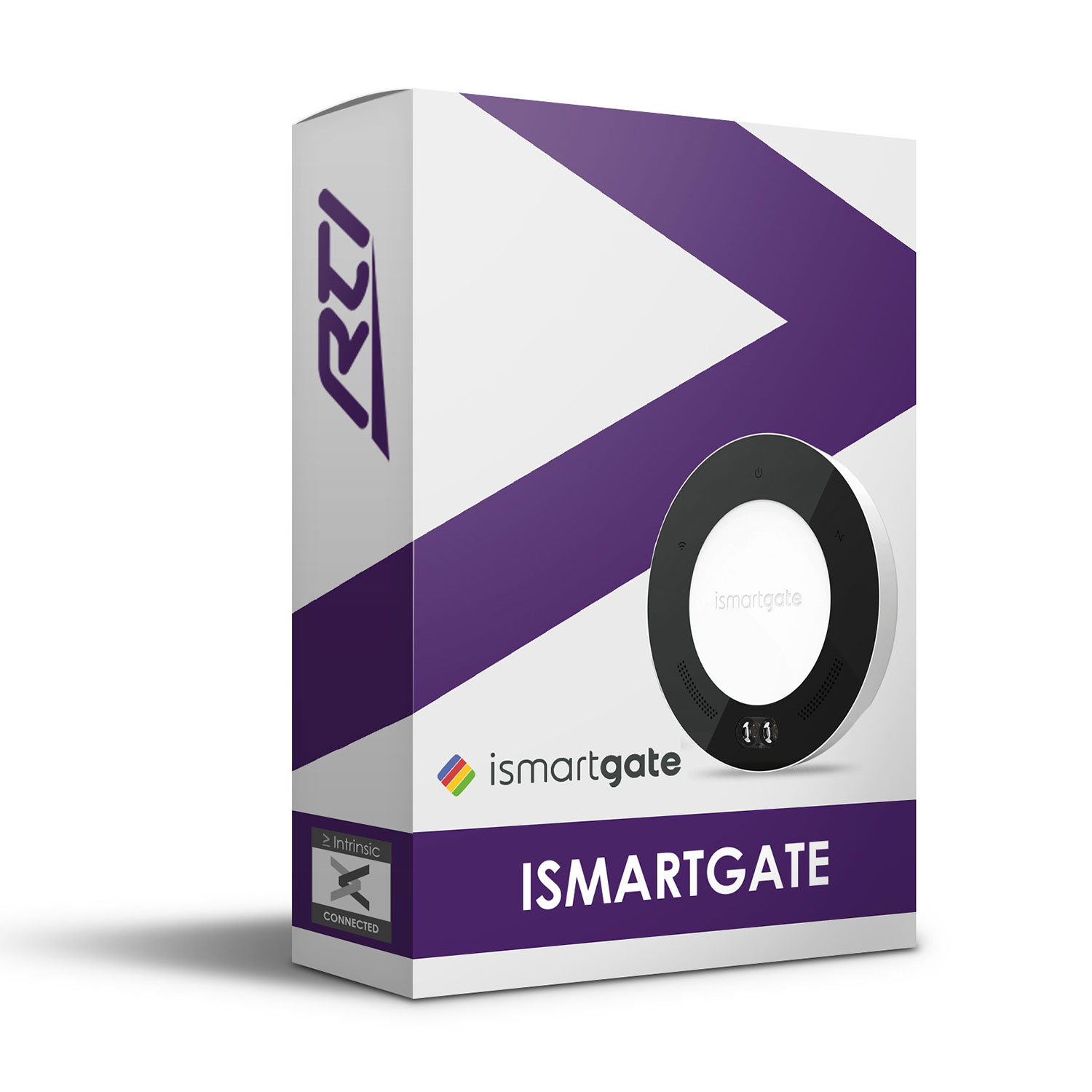
This ismartgate Garage Driver allows an RTI system to communicate locally with an ismartgate Smart Opener, allowing control of up to 3 garage doors or gates with feedback, that includes current temperature and sensor battery percentage.This ismartgate Garage Driver allows an RTI system to communicate locally with an ismartgate Smart Opener, allowing control of up to 3 garage doors or gates with feedback, that includes current temperature and sensor battery percentage.
ismartgate offer smart garage door openers for superior security and convenience. Compatible with all types of garage doors & gate openers.
Features:
- Control of garage doors/gates
- Feedback of name, state, temperature and battery percentage
- Events available for up to 3 doors separately
- Custom text fields for states to enable language to be changed
- Intrinsic Platinum Integration – Official ismartgate driver
- Driver uses Intrinsic(Athena) cloud technology for key free licensing, update alerts and enhanced support
Tech Support is handled by Intrinsic Dev.
Intrinsic Dev, The Maltings, Allendale, NE47 9EE, UNITED KINGDOM
Email: info@intrinsicdev.com
Manufacturer:ismartgate
Model Number(s):MINI, LITE, PRO
Control Platform:RTI
Integration Designer Version:11
Driver Developer:Intrinsic Dev, Part of Intrinsic Group Limited
Document Revision Date:6th February 2024
> Overview
This driver allows an RTI system to communicate locally with an ismartgate Smart Opener, allowing control of 3 garage doors or gates with feedback, that includes current temperature and sensor battery percentage.
Manual control of customisable Action text (‘Opening’ / ‘Closing’) to show device is moving. In Driver Properties enter how long it takes for the door or gate to open and close. When a command to open or close is sent, the Action text will be displayed via the same text variable for this time period.
Custom text can be entered via Driver Properties for each of the 4 states displayed via the single dynamic State variable, allowing fast and simple programming for any language.
Default 4 state text: ‘Opened’, ‘Closed’, ‘Opening’ and ‘Closing’.
> Supported features
Commands:
Open
Close
Toggle
Buttontags for Commands:
“Open [1-3]”
“Close [1-3]”
“Toggle [1-3]”
Variables:
[STRINGS]
Name
State
Temperature
Battery
[BOOLEAN]
isOpen
isClosed
Buttontags for Variables:
“Door [1-3] Name”
“Door [1-3] State”
“Door [1-3] Temperature”
“Door [1-3] Battery”
“Door [1-3] isOpen”
“Door [1-3] isClosed”
Events:
[1-3] Open
[1-3] Closed
[1-3] Opening
[1-3] Closing
[1-3] Battery 20%
Events available for each of the 3 doors separately.
Any feature not specifically noted as supported should be assumed to be unsupported.
> Driver support
This driver is fully supported via our online ticketing system. If you require assistance with this driver please submit a support request at www.intrinsicdev.com/support.
> Continued dealer support
Intrinsic Dev offer free licence keys for showrooms and dealers’ own homes. To obtain your free licence keys simply drop us a support ticket. All our drivers/modules are fully supported by our online ticketing system.
> Disclaimer
Intrinsic Dev’s drivers are created to the highest standard developed with industry leading practices.
By installing this driver, you agree to our full Terms and Conditions, a copy of which can be found at the end of this document.
> Driver licence
This driver requires a licence to function. Pricing and licences can be obtained by visiting https://www.intrinsicdev.com/. Licences are issued on a per controller basis. You only need a single licence for multiple installations on the same controller.
> Driver configuration
Ensure you have downloaded the latest version of the driver from: https://www.intrinsicdev.com/
Licencing - This driver is powered by the Intrinsic(Athena) cloud and will auto detect if you have purchased a licence for your systems MAC address.
If you have not already purchased a licence it will show an error. Please navigate to www.intrinsicdev.com to rectify and within a few minutes of order completion the driver will update and activate. You do not need to enter any information manually or make changes to the driver.
> Device setup
Before attempting integration onto a RTI system, fully configure your ismartgate device. Ensure that you have verified the functionality before proceeding.
> Configuration Process
1. Download the latest version of the driver from www.intrinsicdev.com
2. Place the .rtidriver file in your designated custom driver directory. This can be identified in Apex by clicking Options > Set Directories.
3. Import instances of the driver into your project as required.
4. In Driver Properties enter the following:
a) ismartgate Auth – Login and Password.
b) Connection – IP Address.
5. Set the Poll Time – for getting Door status.
6. Edit STATE Text Variables - Enter text for Text for State ‘Opened’ and Text for State ‘Closed’ or leave as defaults.
7. Edit ACTION Text Variables –
a) Use the integer dropdown Action Text Display Time – ‘Opening’ / ‘Closing’ to select roughly how long it takes for the Door to open / close. Action text will be displayed for this period via STATUS variable.
b) Enter text for Text for Action ‘Opening’ and Text for Action ‘Closing’ or leave as defaults.
8. Set Temperature Unit - For displaying °C or °F and conversion to Fahrenheit if required.
9. Import Door Names from ismartgate – Toggle On to allow driver to use door names set in ismartgate App or Off if you wish to set new custom names in your Integration Designer project.
a) If Import Door Names from ismartgate has NOT been enabled, use the name fields Door [1-3] Name to enter a device name. These names will be displayed via the Name text variable and used throughout the Integration Designer project.
10. You can now move onto setting up your UI.
The attached ‘ismartgate-Example.apex’ file contains a fully configured UI (Virtual Panel) for 3 garage doors.
> Integration Designer11
There are multiple ways to map the features from this driver to a Controller, we recommend using the Tag Browser technique.
> Tag Browser
Tag Browser shows all tags - commands and variables provided by the driver under Source. Using the Filter, the tags can be organised alphabetically by Tags with Macros, Tags with Variables or Text Tags and then dragged to a button, automatically assigning the function or text variable.
Macro –
Close [1-3]
Open [1-3]
Toggle [1-3]
Variables –
Door [1-3] isClosed
Door [1-3] isOpen
Text –
Door [1-3] Battery
Door [1-3] Name
Door [1-3] State
Door [1-3] Temperature
> Tag Field
Another technique is to use the Tag input field. Create and select a button, enter the custom Tag into the Tag input field located at the bottom of the Integration Designer window and the command will be mapped. Tags listed at top of this document.
Text Variables can NOT be mapped this way.
See section > Manual Text Variable Mapping
> Macro List
Another technique is to add a macro via the Macro List, drag Command across from Macro Steps to the Tag Editor area, click <select a device> and select ismartgate, you can now select the functions provided via the driver.
e.g.
“Command – ismartgate – Aston Martin (Door 1) \ Open”.
Finally, enter the name of the Macro you created into the Tag input field to map a command to a selected button.
> Manual Text Variable Mapping:
To manually map a text variable provided by the driver –
Create a button
Right click – Edit Text...
Select the Insert Control Variable icon.
Select ismartgate.
Select desired Text variable.
Placeholder sample text has been programmed to text and integer variables to help with UI design layout.
Boolean variables can also be used as text. After adding the variable select the blue ‘{var}’ within the Edit Button Text window.
> Visual Highlight Variable
isOpen and isClosed State Variables [BOOLEAN] are included in this driver to allow truly dynamic, custom panel possibilities including displaying a highlight around a button or icon that is currently true.
These variables have been set as ‘tagtype’ - ‘visible’, meaning the visible state should automatically be programmed after dragging the Tag to the element.
Add the elements. They are going to be stacked on top of each other. Assign the bottom element with the desired driver command.
For the top highlight element, assign the desired State variable to Visible in Tag Editor or simply drag the Tag from Tag Browser.
Stack the elements.
Both variables will be set to true while the door is in state ‘Opening’ or ‘Closing’ - both visual highlights will be activated (visible) for this period. The length of this period depends on the time set for Set time for Door to Open and Close in Driver Properties.
> Troubleshooting
Toggling Import Names on and off does NOT erase text entered into the name fields.
Names entered into Doors – Door [1-3] Name in Driver Properties will persist throughout project as the door identification even if Import Names is enabled. Make sure to manually revert names back to “Door [1-3]” or leave blank to avoid door identification confusion elsewhere in project programming if you have decided to change set up from manual to auto naming.
> Terms and Conditions
This page gives you all the information you need to know about Intrinsic Dev and the legal Terms and Conditions through which we sell the software listed on our website to you. These Terms apply to any contract of sale for products that exists between us and you.
Please read these Terms and Conditions carefully, if you do not agree with something written within them do not use our website or install our software. Before completing your purchase you will be asked to confirm you have read and understood these Terms, unfortunately if you refuse our Terms you will be unable to complete a transaction on our website.
We recommend you print a copy of our Terms and Conditions or save them to your computer so you can refer to them in the future as necessary.
We reserve the right to change these Terms and Conditions and recommend you read through them each time you use our site to ensure you understand how they apply to you.
These Terms, and any contract that exists between us, are in the English language only.
1. About Us
1.1 Intrinsic Dev is a trading name of Intrinsic Group Limited. Our registered office address is 9 Dicconson Terrace, Lytham, Lytham St Annes, FY8 5JY. Our trading address for all non-financial correspondence is The Maltings, Allendale, NE47 9EE.
1.2 Intrinsic Group Limited is registered in England and Wales under company number 09659256.
1.3 Contacting us:
1.3.1 To discuss a contract with us in accordance with your legal rights please simply contact us with your query. You can contact us by email at info@intrinsicdev.co.uk
1.3.2 To contact us for any other reason please submit a helpdesk ticket online as this is the quickest way to get in touch. Alternatively you can email info@intrinsicdev.co.uk but please note tech support cannot be contacted in any way other than the online helpdesk. You can also use the form on the Contact Us page.
1.3.3 If we need to contact you in regards to the contract that exists between us we will do so using the information you provided when placing the order, usually by phone or email.
1.4 Intrinsic Group Limited is a member of CEDIA. CEDIA is the international trade association and central touch point for over 3,700 member companies worldwide who design, manufacture, and install technology for the home.
2. Our Products
2.1 We make every effort to ensure we provide you with accurate information on our software. If you believe we have misrepresented the functionality of a driver or module please contact us as set out in section 1.3.
2.2 Images on our website are for illustrative purposes only. Our drivers are only available as instant downloads and not available in any hard format.
2.3 Our software is licensed to you, not sold to you. All of our software is available to download free of charge but will require licensing to function. All products that are offered for sale on this website are licenses for the automation controller specified at the time of purchase.
2.3.1 Obtaining a license key from Intrinsic Dev grants you a non-exclusive, non-transferable, limited and revocable license to install and use the specified software on a device owned or managed by you or your organization. The number of license installations may not exceed the total number of licenses you purchased for the software.
2.3.2 This license applies only to the applicable driver/module purchased and any updates that supplement the original driver/module.
2.3.3 Intrinsic Dev's software is licensed, not sold, to you and Intrinsic Dev retains ownership of all copies even after installation on your device.
2.3.4 This license is valid only for the specific system identified at the time the license was purchased and cannot be resold or transferred by you on to any other system. Under exceptional circumstances Intrinsic Group Ltd may grant authorization to transfer an existing license to a new system but maintains the right to charge an administrative fee for this service as well as the right to refuse authorization at Intrinsic Group Limited's sole discretion.
2.3.5 Intrinsic Group Limited may transfer its rights and obligations, or sub-contract or sub-license to another legal entity, provided your consumer rights are not prejudiced.
2.4 All software written by Intrinsic Dev remains the property of Intrinsic Group Limited. This software is the intellectual property of Intrinsic Group Limited, and is protected by law, including English and International copyright laws.
2.5 You may not decrypt, reverse engineer, modify, translate, disassemble or decompile any of Intrinsic Dev's drivers/modules in whole or in part. Any modifications will immediately terminate all licenses held and full compensation for any and all infringements will be sought.
2.6 Intrinsic Dev reserve the right to withdraw a module/driver from sale at any time and for any reason, including, for example, if the equipment for which the driver/module is written is discontinued or substantially modified.
2.7 Intrinsic Dev carry out extensive BETA testing on all our software. Software that remains in BETA will not be offered for sale on this website. Our BETA testing scheme is covered by separate Terms, but in signing up to this scheme you consent to also abide by these Terms and Conditions. All BETA software remains the property of Intrinsic Dev and is covered by confidentiality agreements. This software must not be abused in any way as per section 2.5 and all discussions and findings during the testing phase are to remain confidential. Intrinsic Group Limited reserve the right to revoke BETA testing privileges at any time.
3. Use of our website
3.1 Your use of our site is governed by these Terms and our Privacy Policy. Please ensure you read these documents fully so you are aware of all Terms that apply to you.
3.2 You must be over 18 to purchase from this website.
3.3 You are responsible for ensuring that your account details and passwords remain confidential when using our website and agree to accept responsibility for all activities that occur under your account and password.
3.4 Please ensure you provide us with details that are complete and correct when setting up your account or placing an order. We cannot be held responsible for any delays or losses suffered due to incorrect information being supplied.
3.5 We will endeavor to provide you with uninterrupted, error free access to our website, however due to the nature of the internet this cannot always be guaranteed. On rare occasions your access may be restricted or interrupted to allow updates, upgrades or repairs; we will endeavor to carry out such tasks in the shortest time possible.
4. Our Contract with you
4.1 All Intrinsic Dev drivers/modules are designed to be used by qualified system integrators for the relevant control platform. When obtaining a license to use our software (whether free or purchased) you are confirming your status as above. We regret we only sell B2B and cannot license our software to end consumers. If you are the owner of a system and you believe you require our software please contact your system integrator to obtain a license and carry out the applicable integration work on your behalf.
4.2 Our drivers/modules are all available for instant download free of charge, you do not need an account with Intrinsic Dev to download a driver. The majority of our drivers require license keys to activate, you do need an account to obtain a license key. To obtain a license key (whether for a free or chargeable driver) simply add the relevant driver(s) to your basket and follow the checkout procedure online. Please check you have provided us with all the correct information before completing the transaction. Please note we do not accept purchases or provide license keys by phone or email.
4.3 When you place an order to purchase a license key from Intrinsic Dev you will be sent a confirmation email to confirm we have received your order. Please check through this email and notify us if anything is incorrect.
4.4 A contract between you and Intrinsic Dev exists only once you have received your license key, usually contained within the confirmation email.
4.5 Intrinsic Group Limited will deem this contract null and void in the event a license is used in any way that can be deemed harmful, including, but not limited to attempts to decrypt, reverse engineer, modify, translate, disassemble or decompile a driver/module, or the use of a license on a system not specified for at the time of purchase.
5. Payment
5.1 We accept all major credit or debit cards excluding American Express. Payment is taken immediately by our online payment provider Stripe. Stripe offers a secure payment gateway for online credit and debit card processing. All card numbers processed by Stripe are encrypted on disk with AES-256. Decryption keys are stored on separate machines. Stripe's infrastructure for storing, decrypting, and transmitting card numbers runs in separate hosting infrastructure, and doesn't share any credentials with Stripe's primary services.
5.2 Do not email your card details. We accept no responsibility if you provide us with your details in this way.
5.3 Card fraud is illegal and will always lead to prosecution. Every transaction taken is subject to fraud checks performed by Stripe; if we believe the risk of fraud is present on a transaction we reserve the right to cancel the order with immediate effect and without correspondence.
5.5 The Intrinsic Dev website is fully PCI Compliant. Stripe has been audited by a PCI-certified auditor and is certified to PCI Service Provider Level 1. This is the most stringent level of certification available in the payments industry. To accomplish this, Stripe make use of best-in-class security tools and practices to maintain a high level of security.
6. Delivery
6.1 There are no delivery charges for any of the products listed for sale on this website. All software is available to download instantly, free of charge. All license keys are automatically emailed upon receipt of applicable payment.
6.2 Our drivers/modules are not available in any hard format
6.3 License keys are emailed to the address given during the checkout process. Please check you spam folder if you have not received your license and allow up to 12 hours before contacting us regarding a missing license key.
6.4 We recommend reading the integration notes for each driver before attempting installation.
7. Refunds and Warranty
7.1 We do not offer refunds on our licensing. If you have made a mistake during your purchase or have another legitimate reason for requiring a refund please contact us as set out above in 1.3. Refunds may be offered within 7 working days in some circumstances, but please note no refunds will be considered if the driver/module has already been installed onto the relevant control platform.
7.2 Whilst every care is taken to ensure the thorough testing of our drivers, you should always carry out your own tests before first use. You agree not to hold Intrinsic Group Limited or any related party, liable for any issues or loss arising from the installation of our drivers/modules.
7.3 Our software is provided "as is" and "as available", without express or implied warranty or condition of any kind to the maximum extent permitted by law. We disclaim any warranty that our drivers/modules will meet your requirements or will be constantly available, uninterrupted, timely, secure, or error-free; the results obtained from the use of our drivers/modules will be effective, accurate, or reliable; the quality of the software will meet your expectations; or any errors or defects in the software will be corrected.
7.4 Intrinsic Group Limited specifically disclaim all liability for any actions resulting from your use of our software. You use our software at your own discretion and risk, and you are solely responsible for any damage to computer systems/control platforms, loss of data or loss of profits that results from the use of our software.
7.5 Our software is written and tested on the most recent version of 3rd Party platforms available at the time of release. Intrinsic Group Limited make no assurances of stability of any untested updates that may be released subsequently as all 3rd Party developments are beyond our control. Where an updated driver becomes available this can be downloaded from our website or from within your purchase history. Whilst we make every effort to keep all drivers/modules up to date we disclaim any obligation to do so.
8. Pricing
8.1 We make every effort to maintain the prices shown on our Website, however we reserve the right to discontinue drivers or to amend prices when necessary.
8.2 All prices exclude VAT (where applicable)
8.3 Our pricing originates in £ sterling, we make use of live currency exchange rates to automatically calculate pricing for alternative currencies. The rate used is beyond our control.
9. Support
9.1 We offer comprehensive support for our drivers/modules via an online ticket system. All support queries must be submitted through this ticket system. Any attempt to by-pass this system or to misrepresent priority levels will result in delays.
9.2 Intrinsic Dev offer paid for Remote Support packages for support that falls outside of standard driver queries, including, but not limited to, driver installation, wider system integration/programming and system design.
9.3 All drivers/modules written by Intrinsic Group Limited that require the purchase of a license key are fully supported for as long as they are listed on the Intrinsic Dev site.
9.4 We reserve the right to withdraw licensing and remove download links for a driver/module, thereby discontinuing on-going support at any time and for any reason. This includes, for example, if the equipment for which the driver/module is written is discontinued or substantially modified. The remainder of your rights and obligations pursuant to this license will not be affected should support be discontinued.
10. Other Terms
10.1 This contract is between you and us, no other person has the right to enforce these Terms.
10.2 Each of the paragraphs in these Terms operate separately. If any court or relevant authority deems any of them are unenforceable the remaining paragraphs remain in force and in effect.
10.3 The name Intrinsic Dev and Intrinsic Group, and associated logos are protected under UK copyright laws. The contents of this website, including (but not limited to) downloadable content, imagery and text may not be copied, reproduced, replicated, sold, downloaded or distributed by any means to third parties without the express consent of Intrinsic Group Limited.
10.4 The content of Intrinsic Dev and its Third Party associates are protected by copyright and database laws. You may not extract or use any content (in part or entirety) of the website without express written consent of the owners.
10.5 You must not use this website in any way that causes damage or impairment to the site or company of Intrinsic Group Limited or any other persons. Unlawful and fraudulent activity will be prosecuted.
10.6 The content contained on this website is for information purposes only. Intrinsic Dev (whether written on the website, through the helpdesk, via email or verbally) are not providing any recommendations or endorsements to any Third Party solutions, software or products. The material on this website does not constitute advice and you should not use the information on the website whilst making any decisions.
10.7 We accept no responsibility for the content of websites that are linked to Intrinsic Dev and do not necessarily endorse the material contained within these external websites. These links are provided for convenience only.
11. Contact Details
Intrinsic Dev, The Maltings, Allendale, NE47 9EE, UNITED KINGDOM
Email: info@intrinsicdev.co.uk
VAT Registration Number: 298 2167 63
Intrinsic Dev is a trading name of Intrinsic Group Limited.
Company Reg Number: 09659256
All of our software is available to download free of charge but will require licensing to function. Unless specifically noted only one license is required per controller/processor.
One time license required.