Driver Type
Categories
- Recent Updates
- Access Control
- Amplifier
- A/V Receiver
- Climate and Pool Control
- Disc Player / Changer
- Display
- DSP
- DVR
- Irrigation / Sprinklers
- Lighting Control
- Matrix Switch
- Media Server and Player
- Multi-Room A/V
- Networking
- Power and Rack Management
- Security
- Surveillance
- Teleconferencing
- Training
- Tuner
- Utility
- Video Projector
Driver Type
Categories
- Recent Updates
- Access Control
- Amplifier
- A/V Receiver
- Climate and Pool Control
- Disc Player / Changer
- Display
- DSP
- DVR
- Irrigation / Sprinklers
- Lighting Control
- Matrix Switch
- Media Server and Player
- Multi-Room A/V
- Networking
- Power and Rack Management
- Security
- Surveillance
- Teleconferencing
- Training
- Tuner
- Utility
- Video Projector
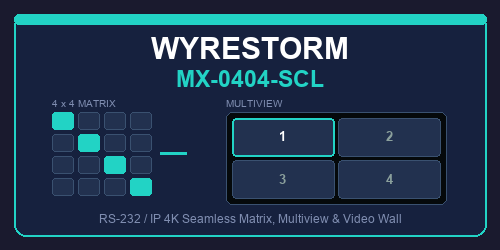
WyreStorm MX-0404-SCL
By: David Bowdler
Updated: Sept. 18, 2026
Version: 0.7
WyreStorm MX-0404-SCL Matrix
Complete two-way control of the WyreStorm MX-0404-SCL 4x4 seamless matrix from RTI, over RS-232 or the network. Every published command is implemented, and because the matrix never reports changes on its own, all feedback is polled — so a front-panel or web-UI change still shows up on the panel.
Key Features
- 16 discrete crosspoints: every input-to-output route as its own tag, each one a paired command and feedback tag so a single drop wires the button and its highlight.
- Multiview: all six layouts with per-window source assignment, plus audio-follows-window selection.
- Video wall: send any source across all four displays as a 2x2 wall.
- CEC display power: per output or all at once, with auto-CEC control and the no-signal power-off delay exposed.
- Per-output scaling: auto, manual and bypass, plus 26 fixed output resolutions. The driver switches the scaler to manual for you when you pick a resolution.
- EDID management: copy-from-output and the fixed 4K and 1080p presets, with the reserved values blocked so an invalid parameter can never reach the unit.
- Presets, standby and de-embedded audio zones all covered.
- Browser dashboard: a live 4x4 crosspoint grid with multiview, presets, CEC and scaler pages. Runs on the processor — open it in a browser or drop it into an RTI Web Object.
- Text tags for every value: routing, names, firmware, resolutions, EDID, layout and status all drop straight into button text.
- Diagnostics built in: a telnet console with a full routing table, multiview state, a read-only protocol probe and a wiring checklist for a dead serial link.
- Sample project included: a 17-page Integration Designer file with all 111 commands and 121 feedback variables already placed and wired.
Requirements
- WyreStorm MX-0404-SCL 4x4 seamless matrix
- RTI processor with a spare RS-232 port, or network access to the matrix on TCP 23
- Integration Designer 11.4 or newer, driver runtime 24 or newer
- RS-232 wiring needs three conductors including signal ground — omitting ground is the most common cause of a dead link
How It Works
The driver speaks the matrix's documented ASCII protocol at 115200 8N1, or Telnet on port 23. A fast poll ring keeps routing, layout, audio and power current, while a slower ring picks up the configuration-style state, so the panel stays in step without the queue ever getting in front of a user action. Every parameter is validated before transmission — outputs, EDIDs, resolutions and layouts — because WyreStorm warn that an out-of-range value can lock the unit up.
WyreStorm MX-0404-SCL Matrix Driver
Version 0.7
Two-way control of the WyreStorm MX-0404-SCL 4x4 seamless matrix over RS-232 or the network. Covers matrix switching, multiview, video wall, de-embedded audio, CEC display power, EDID, output scaling, presets and standby, with polled feedback for every one of them.
Connection
RS-232 (recommended)
- Connection Type: RS-232 (Serial)
- Serial Port: the processor port wired to the matrix
- Baud Rate: 115200 (this unit is 115200, NOT the 9600 older WyreStorm matrices used)
- 8 data bits, no parity, 1 stop bit, no flow control
Wiring, three conductors: processor TX to matrix RX, processor RX to matrix TX, and signal ground. On an RTI RJ45 serial port with 568B termination that is pin 6 (green) = TX, pin 5 (white/blue) = RX, pin 4 (solid blue) = GND.
The single most common failure is leaving out the ground. Two data wires with no common reference does nothing, and a loopback test still passes because a loopback shares the port's own ground. If the driver is transmitting but nothing comes back, check ground before anything else.
Network
- Connection Type: Network (Telnet)
- IP Address: the bare IP only - no http:// prefix, no port, no trailing slash
- IP Port: 23
The matrix defaults to DHCP. SCL Series version 1 units default to 192.168.11.143. The web UI password is admin.
Setup
Names - set Input 1-4 and Output 1-4 names in Driver Properties. They flow through to the touch panel, the browser dashboard and the debug console, so name them the way the client talks about them: "Apple TV", "Bar TV", not "Input 1".
Enable Polling - the matrix never reports changes on its own, so polling is the only way the driver sees a front-panel or web-UI change. Leave it on.
Poll Interval - 5 seconds suits most jobs. Lower it for a faster-feeling panel, raise it on a busy processor.
Preset Count - WyreStorm's API document allows presets 1-3; the user manual says the web UI supports 12. The driver defaults to 3. Raise it only once you have confirmed higher numbers work on your firmware.
Web Dashboard - on by default, port 9068. Change the port if it clashes with another driver on the same processor.
Button Tags
Drop a tag onto a button and Integration Designer wires the command and its matching feedback together in one action. Value tags drop into a button's Text - label them rather than showing a bare value, e.g. "Source: $%TAG!Out 1 Source%$".
Routing - commands with paired feedback
Out 1 In 1 ... Out 4 In 4 - 16 discrete crosspoints
Out 1 Off ... Out 4 Off - powers that output down (sends in0, does not touch CEC)
Routing - values
Out 1 Name ... Out 4 Name - the display's friendly name
Out 1 Source ... Out 4 Source - which input it is showing, by name
Out 1 Source Number ... Out 4 Source Number - the same as a number
In 1 Name ... In 4 Name - the input's friendly name
In 1 In Use ... In 4 In Use - is this source on screen anywhere
In 1 EDID ... In 4 EDID - the EDID currently applied
Multiview
MV Full, MV Dual, MV Pip, MV Triple, MV Master, MV Quad - layout selection with feedback
MV Win 1 In 1 ... MV Win 4 In 4 - set a window's source in the active layout
MV Audio 1 ... MV Audio 4 - which window the audio follows
Layout - the active layout name
Layout Code - the raw VIDOUT_MODE number
Multiview Active - true whenever a multiview layout is on screen
MV Win 1 Source ... MV Win 4 Source - each window's source by name
MV Audio Source - the input the audio is following
Power and displays
Power On, Power Off, Power - matrix standby and wake
Power Status - "On" or "Standby"
Display On, Display Off - CEC power for all outputs
Display 1 On ... Display 4 Off - CEC power per output
Out 1 Auto CEC ... Out 4 Auto CEC - is auto CEC enabled on that output
Out 1 CEC Delay ... Out 4 CEC Delay - the no-signal power-off delay in minutes
Audio
Mute On, Mute Off, Mute - multiview audio mute
Zone 1 Mute, Zone 2 Mute - de-embedded audio zone mute toggles
Presets and video wall
Preset 1, Preset 2, Preset 3 - recall
Last Preset - the preset number last recalled
Wall In 1 ... Wall In 4 - send that input to all four displays as a 2x2 wall
Wall Config - the current wall configuration string
Scaler
Out 1 Scale Auto, Out 1 Scale Manual (and the same for outputs 2-4)
Out 1 Scale Bypass ... Out 4 Scale Bypass - feedback only; bypass is outputs 1-2 only
Out 1 Scaler ... Out 4 Scaler - the current scaler mode by name
Out 1 Resolution ... Out 4 Resolution - the fixed resolution in use
Status and diagnostics
Connected - link state
Status - a plain-English connection status
Transport - "RS-232" or "Network"
Firmware - the matrix firmware version
Matrix IP - the matrix network settings
IR Code Set - Mode1 or Mode2
Last Error - the last error the matrix reported
Last Response - the last line received, useful while commissioning
Driver Version
Licence
Licence Valid, Licence Status, Trial Active, Trial Expired, Trial Remaining, MAC For Key
Browser Dashboard
The driver serves a control page on port 9068 - open http://processor-ip:9068/ in a browser, or drop it into an RTI Web Object. It gives you a 4x4 crosspoint grid, multiview layout and window sources, CEC display power, presets, the video wall, scaler and EDID.
If a panel shows a stale page after a driver update, force-quit the RTI app on that panel and reopen it. iOS caches web object content in memory per panel slot, and cache headers alone will not clear it.
Things Worth Knowing About This Matrix
Auto CEC is on from the factory. The matrix powers displays on when it detects a signal. If your control system drives display power, run "Auto CEC - All Outputs Off" once during commissioning or the two will fight each other. This is the usual explanation for a display that turns itself back on.
Multiview renders on HDMI outputs 1 and 2 only, and those two are mirrored. Outputs 3 and 4 keep working as an independent matrix while a multiview layout is on screen.
Bypass is only available on outputs 1 and 2. The driver refuses it elsewhere rather than sending an invalid parameter.
A fixed output resolution only applies in Manual scaler mode. The driver switches the scaler to Manual for you when you pick a resolution, so the button does what it looks like it does.
EDID presets 5-10 are reserved. The driver will not send them. WyreStorm warn that an out-of-range parameter can lock the unit up, so every value is validated before it goes out - outputs, EDIDs, resolutions and layouts alike.
The API document and the user manual disagree in places. The API document (rev v1.1, August 2025) lists six multiview layouts; the user manual (V1.0.3, January 2026) names eight. It also allows presets 1-3 where the manual says 12. Where they differ the driver follows the API document, because that is what the firmware is documented to accept. Use the mvprobe command in the debug console to read the real layout numbering off your own unit.
Diagnostics
Debug console - telnet the processor on port 12550. Useful commands:
status - connection, firmware, power, layout, audio, licence
routes - full routing table with scaler and CEC state per output
mv - multiview layout and window sources
cec - auto-CEC state per output
term - terminator plus a wiring checklist for a dead link
route 1 3 - route input 3 to output 1
mode 5 - set the quad layout
mvprobe - walk all six layouts and report what the unit echoes back
probe - fire every read-only query in one block
get / set / raw - send commands by hand
Diagnostic - Probe Protocol - the same read-only sweep as a function, so it can be put on a button. It changes nothing on the device.
Remote Logging - off by default. Turn it on in Driver Properties, or from a macro with the Remote Logging On function, and the driver streams its log to Smart Home Programming for support.
Licence
This driver is free, but a per-processor key keeps control commands working past the 120-minute trial. Feedback and polling never stop. Enter the key in Driver Properties, or paste it into the debug console with "licence YOUR-KEY". The MAC the key is tied to is shown by the "mac" console command and in the MAC For Key variable.
Support
Smart Home Programming
Web: https://smarthomeprogramming.com.au
Store and driver downloads: https://smarthomeprogramming.com.au/store/
Include the driver version, your processor MAC and, if you can, a debug console "status" and "routes" dump - that answers most questions immediately.
This driver includes a 120-minute free trial — load it and it works immediately, no key needed, so you can prove it on site before committing.
After the trial, control commands stop while feedback and polling keep running. A licence key is tied to the RTI processor's MAC address and is issued per processor.
The MAC to quote is shown in the MAC For Key system variable, and by the mac command in the driver's debug console.