Driver Type
Categories
- Recent Updates
- Access Control
- Amplifier
- A/V Receiver
- Climate and Pool Control
- Disc Player / Changer
- Display
- DSP
- DVR
- Irrigation / Sprinklers
- Lighting Control
- Matrix Switch
- Media Server and Player
- Multi-Room A/V
- Networking
- Power and Rack Management
- Security
- Surveillance
- Teleconferencing
- Training
- Tuner
- Utility
- Video Projector
Driver Type
Categories
- Recent Updates
- Access Control
- Amplifier
- A/V Receiver
- Climate and Pool Control
- Disc Player / Changer
- Display
- DSP
- DVR
- Irrigation / Sprinklers
- Lighting Control
- Matrix Switch
- Media Server and Player
- Multi-Room A/V
- Networking
- Power and Rack Management
- Security
- Surveillance
- Teleconferencing
- Training
- Tuner
- Utility
- Video Projector
Kramer SWT-3-31-HU
By: David Bowdler
Updated: Sept. 18, 2026
Version: 0.1
Kramer SWT-3-31-HU
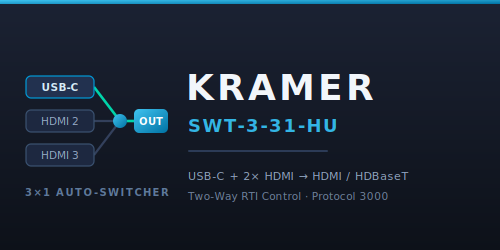
Two-way control of the Kramer SWT-3-31-HU 3×1 auto-switcher from RTI, over the network using Kramer Protocol 3000. The switcher takes one USB-C and two HDMI inputs and feeds a mirrored HDMI and HDBaseT output. The driver covers input selection and auto-switching, independent USB host routing, audio volume and mute, video mute, and the full advanced set — HDCP, EDID, colour space, power delivery and CEC gateway — with live feedback on every state the switcher reports.
Key Features
- Input selection: select USB-C, HDMI 2 or HDMI 3, with discrete per-input buttons as well as a single select command. Feedback covers current input, current input name and a per-input Selected boolean.
- Auto-switch modes: Manual, Priority or Last Connected, settable as one command or as discrete buttons, with mode feedback.
- Independent USB host routing: move the USB-C host connection separately from the video route.
- Audio control: volume up/down plus set volume in dB (-60 to +30), and mute on/off/toggle, with output volume and mute-state feedback.
- Video mute: on/off/toggle with feedback.
- Signal and display feedback: per-input signal-present detection plus output display connected (HPD) status.
- Advanced control: per-input and output HDCP mode, force RGB colour space, remove deep colour, EDID force 2LPCM, power delivery mode (USB2 + 4K60 or USB3 + 4K30) and CEC gateway mode.
- Maintenance commands: refresh state, reset device and factory reset.
- Events for automation: connected/disconnected, input changed, auto-switch mode changed, volume changed, audio and video mute changes, and per-input signal present/lost.
- Single-tag wiring: each command and its feedback share one RTI tag, so dragging a tag onto a button wires the action and its feedback in a single step.
Requirements
- A Kramer SWT-3-31-HU auto-switcher with a static IP address on the same network as the processor.
- RTI XP processor (runtime 24+, software 11.4+, Integration Designer 11.4+).
- Protocol 3000 TCP port reachable from the processor — port 5000 unless it has been changed on the device.
How It Works
Give the switcher a static IP, add the driver in Integration Designer and enter the IP address in Driver Properties. The Protocol 3000 port defaults to 5000 and normally needs no change. Once deployed, the Connected system variable turns true and the driver reads back the switcher's state so panels come up in sync — current input, auto-switch mode, volume, mute states and per-input signal presence. Feedback is live, so a source plugged in at the switcher or an input change made on the front panel is reflected on the panel straight away.
Kramer SWT-3-31-HU Control Driver
Version 0.1
Controls the Kramer SWT-3-31-HU 3x1 auto-switcher (USB-C + 2x HDMI inputs, mirrored HDMI + HDBaseT output) over the network using Kramer Protocol 3000.
Setup
1. Give the switcher a static IP on your network.
2. Add this driver in Integration Designer.
3. In Driver Properties, set IP Address / Host to the switcher's IP. Leave Protocol 3000 TCP Port at 5000 unless changed on the device.
4. Deploy. The Connected system variable turns true once the driver links.
Licensing
The driver runs fully for a 120-minute trial each time the processor boots. After the trial, control commands are blocked (feedback keeps working) until a licence key is entered.
To license: read the MAC For Key system variable, obtain a key for that MAC from Smart Home Programming, and paste it into the Licence Key setting in Driver Properties.
Available Tags and Features
Switcher
- Select Input (USB-C / HDMI 2 / HDMI 3), plus discrete Select USB-C / Select HDMI 2 / Select HDMI 3 buttons (tags Input 1 / Input 2 / Input 3).
- Route USB Host To - moves the USB-C host switching independently of video.
- Auto-Switch Mode: Manual, Priority, or Last Connected (set via one command or discrete buttons).
- Feedback: Current Input, Current Input Name, per-input Selected booleans, Auto Switch Mode.
Audio
- Volume Up / Volume Down (tags Volume Up / Volume Down), Set Volume in dB (-60 to +30).
- Audio Mute On / Off / Toggle (tags Mute On / Mute Off / Mute).
- Feedback: Output Volume (dB), Audio Muted.
Video
- Video Mute On / Off / Toggle.
- Feedback: Video Muted, Output Display Connected (HPD), per-input Signal Present.
Advanced
- Per-input HDCP mode, Output HDCP mode, Force RGB colour space, Remove Deep Colour, EDID Force 2LPCM, Power Delivery mode (USB2+4K60 / USB3+4K30), CEC Gateway mode.
- Refresh State, Reset Device, Factory Reset.
Events
Connected / Disconnected, Input Changed, Auto-Switch Mode Changed, Volume Changed, Audio/Video Muted/Unmuted, per-input Signal Present/Lost, Output Display Connected/Disconnected.
Diagnostics
A telnet debug console is available on the Debug Console Port (default 12543). Connect with any telnet client and type status, input 2, vol up, signal, refresh, or any raw Protocol 3000 command via tx.
Support
Smart Home Programming
https://smarthomeprogramming.com.au
Email: david@smarthomeprogramming.com.au
This driver requires a licence key tied to your RTI processor's MAC address.
- Trial: 120-minute fully functional trial on every processor boot — no key required
- Purchase: Visit https://smarthomeprogramming.com.au/store/ to buy a licence
- Licence is per-processor — one key per XP processor
- After the trial: control commands are blocked; feedback keeps running so the UI still shows live switcher state
- To license: read the
MAC For Keysystem variable, obtain a key for that MAC, and paste it into the Licence Key setting in Driver Properties