Driver Type
Categories
- Recent Updates
- Access Control
- Amplifier
- A/V Receiver
- Climate and Pool Control
- Disc Player / Changer
- Display
- DSP
- DVR
- Irrigation / Sprinklers
- Lighting Control
- Matrix Switch
- Media Server and Player
- Multi-Room A/V
- Networking
- Power and Rack Management
- Security
- Surveillance
- Teleconferencing
- Training
- Tuner
- Utility
- Video Projector
Driver Type
Categories
- Recent Updates
- Access Control
- Amplifier
- A/V Receiver
- Climate and Pool Control
- Disc Player / Changer
- Display
- DSP
- DVR
- Irrigation / Sprinklers
- Lighting Control
- Matrix Switch
- Media Server and Player
- Multi-Room A/V
- Networking
- Power and Rack Management
- Security
- Surveillance
- Teleconferencing
- Training
- Tuner
- Utility
- Video Projector
Kaleidescape Player / Server (Pro)
By: David Bowdler
Updated: Sept. 1, 2026
Version: 2.3
Kaleidescape Player / Server (Pro)
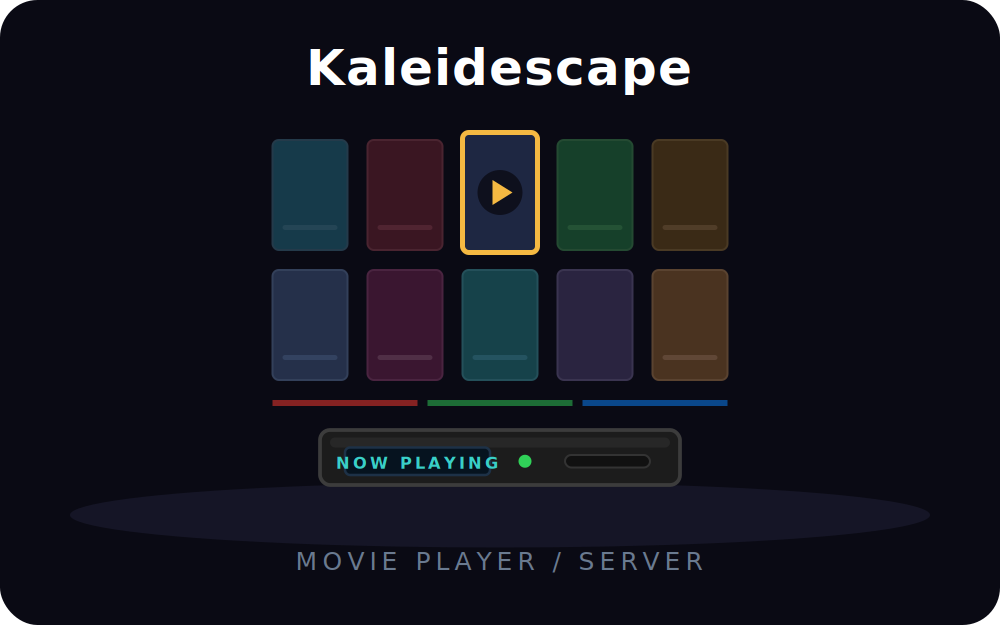
Bring the full Kaleidescape movie experience to any RTI touch panel or hardware remote. This is the Pro / Library edition — it puts your entire movie library on the panel as a cover-art poster wall, lets you drill into any title and start playback at a chosen scene or resume the paused location in a single tap, and delivers rich now-playing metadata and cover art the instant a movie is selected. It controls the whole Kaleidescape line — Strato, Strato C, Strato S, Encore and Premiere players plus the Compact Terra server.
Key Features
- Movie-library poster wall: browse the whole collection with cover art on the panel, drill into a title and start playback at a chosen scene or resume the paused location in one tap — powered by Kaleidescape's licensed library API.
- Rich now-playing metadata: title, year, rating, runtime, genres, cast, director, synopsis, aspect ratio and country, fetched automatically on every on-screen selection — no polling.
- Cover artwork: standard and high-resolution cover-art URLs for hero panels.
- One-button subtitle toggle and skip-vs-scan on a single button — a single press skips a chapter, a double press starts a fast scan.
- Full transport & navigation: play, pause, stop, skip, scan, replay, audio-track and camera-angle select, intermission, plus a complete on-screen d-pad, OK, cancel, menu, page up/down and details.
- Disc & Blu-ray menus: disc menu, top menu, popup menu and the coloured menu keys.
- Browser jumps & cover sort: one-tap Now Playing, Movie Covers, Movie List, Collections and Disc Vault, plus alphabetize / shuffle.
- Web Object UI included: a polished single-page control surface served from the driver itself — the poster wall, a cover-art hero card, transport, d-pad and status, with themes plus a custom palette.
- Browse Menu for hardware remotes: a list-widget menu for ISR / T-class remotes that cannot render Web Objects.
- Live time & progress: elapsed, remaining and 0–100 progress system variables for both title and chapter.
Requirements
- RTI XP processor (XP-8 or compatible); Integration Designer 11.4+ with runtime 24+.
- A Kaleidescape player or server reachable on the local network (System Control Protocol over TCP port 10000).
- For the library poster wall on a player without internal storage (Strato C / Strato S / Encore / Premiere), the Kaleidescape server's IP as well — playback control stays on the player, the library API answers on the server.
- The driver and the Kaleidescape on the same subnet.
How It Works
The driver connects to the Kaleidescape over plain TCP and arms its event feed, so power, play state and full content metadata stream in real time, while the licensed HTTP library API drives the poster wall — it authenticates automatically on connect. Bind the system variables to your UI, drop the Web Object for a complete control surface plus the poster wall, or add the Browse Menu for hardware-remote integration. It also pairs with the Smart Home Programming BEQ driver: the live title and year variables drive automatic bass-EQ profile loading as each film starts.
This driver is licensed per RTI processor. A built-in 120-minute free trial runs on every load, so you can install it and prove it on your own hardware before buying.
To purchase, copy the processor MAC address from the driver's MAC For Key system variable and buy a licence key from the Smart Home Programming store. The key is tied to that processor's MAC — no internet connection or cloud account is required for the driver to validate it.
Kaleidescape Control Driver
Version 1.7
What's New in v1.7
- Go to Movie Store. New navigation command that jumps the player straight to the Movie Store screen (Browser Jumps category) – tag it to a button.
Supported Devices
- Kaleidescape Strato, Strato C, Strato S
- Kaleidescape Encore
- Kaleidescape Premiere players (M-Class, M500, M700, M-Box)
- Kaleidescape Compact Terra Server
- Any Kaleidescape player or server speaking the published System Control Protocol on TCP port 10000
The driver communicates via plain ASCII TCP on port 10000. No authentication required - the Kaleidescape protocol is open on the local LAN. Make sure the RTI processor and the Kaleidescape are on the same subnet, or that your router permits the 10000 TCP traffic between them.
Setup
1. In Driver Properties set the Kaleidescape player or server IP address.
2. Leave TCP Port at 10000.
3. Leave CPDID at 01 unless your installer specifically reconfigured it on a multi-device serial chain (the protocol spec says the device responds to 01 regardless of its configured CPDID, so 01 always works).
4. Save and send to processor. The driver auto-connects, sends ENABLE_EVENTS, and the device starts pushing state.
What's Special About This Driver
- Auto-fetches movie metadata - on every HIGHLIGHTED_SELECTION push from the player, the driver immediately issues GET_CONTENT_DETAILS for that handle. By the time the user presses Play, the Title, Year, Rating, Runtime, Genres, Actors, Directors, Synopsis, and Cover Art URLs are all populated as sysvars.
- Cover art ready for image widgets - the CoverArtURL and HiResCoverArtURL sysvars are written with the IMGURL type, so any RTI image widget bound to them auto-refreshes whenever a new title is highlighted.
- Web Object - browser-based control surface at http://<processor-IP>:9044/ with a Now Playing hero card showing the cover art, title, metadata, and synopsis. Plus power, transport, d-pad navigation, browser jumps, status, and 5 colour themes plus a custom palette.
- Browse Menu - hardware-remote-friendly list UI for ISR-4 and other remotes that don't render Web Objects.
- BEQ-ready - the TitleName and TitleYear sysvars are designed to be watched by the SHP BEQ driver for automatic ezbeq filter loading. The driver also signals a CONTENT_DETAILS_READY event whenever a complete metadata burst arrives.
Playback & Location Events (wire a macro to each)
The driver signals both umbrella events and discrete per-transition events. The umbrella events PLAY_STATE_CHANGED and MOVIE_LOCATION_CHANGED fire on every relevant update. The discrete events below fire only when the value actually changes, so you can wire one macro per transition without testing a sysvar.
- Playback State: PLAY_PLAYING, PLAY_PAUSED, PLAY_STOPPED, PLAY_FAST_FORWARD, PLAY_REVERSE.
- Movie Location: LOCATION_MENU, LOCATION_MAIN_CONTENT, LOCATION_INTERMISSION, LOCATION_END_CREDITS, LOCATION_DISC_MENU.
Example: drop your house-lights-up macro on LOCATION_END_CREDITS and lights-down on LOCATION_MAIN_CONTENT; or dim on PLAY_PLAYING and raise on PLAY_PAUSED.
Important Behaviour
No Wake-on-LAN needed. Unlike many AV devices, Kaleidescape players keep their network stack alive in standby. The LEAVE_STANDBY command works over TCP from any power state - no MAC address or WoL configuration required.
No authentication. The Kaleidescape protocol has no password or token system. Anyone on the LAN can issue commands, which is by design - Kaleidescape positions this as installation-time security (you control LAN access, not protocol access).
Multi-line metadata responses. GET_CONTENT_DETAILS returns one CONTENT_DETAILS_OVERVIEW line stating the row count, then N CONTENT_DETAILS rows. The driver accumulates these before writing sysvars in one batch, so widgets don't flicker between partial states.
URL-escaping in the wire protocol. Kaleidescape escapes colons and slashes inside URL fields (Cover_URL arrives as http\:\/\/...). The driver un-escapes these before writing to the IMGURL sysvars - your image widgets see clean URLs.
Multi-value fields use embedded CR. Fields like Actors and Genres are emitted with literal CR characters between values. The driver joins them with ", " for display sysvars.
Multiple clients are fine. Kaleidescape broadcasts state to every connected client. You can run this driver alongside the Kaleidescape iOS app and the in-room IR remote without conflict.
Touchpanel Wiring - Web Object
The driver runs ONE web server on the processor (port 9044, set by cfgWebUIPort) and serves TWO different pages from it. The path after the port picks which page you get:
- Poster wall (the cover-art movie library): http://<processor-IP>:9044/library
- Control surface (Now Playing hero card, transport, d-pad): http://<processor-IP>:9044/
1. In Integration Designer, drop a Web Object widget on your panel.
2. Set its URL to whichever of the two addresses above you want. Use a second Web Object widget for the other page if you want both on the panel - two screens, one driver.
3. Optionally bind the widget's visibility to the WebObjectVisible sysvar so a panel button can open and close it. Use the Show Web Object / Hide Web Object / Toggle Web Object exported functions to drive it from macros.
Both URLs use the PROCESSOR's IP address - the Kaleidescape's own IP never appears in them. The player goes in the Host field and the library server in Library Server IP; the driver talks to those itself. If the poster wall loads but reports the library is unavailable, check Library Server IP: the library API only answers on the server, so a Strato C paired with a Terra must point at the Terra even though playback control stays on the player.
Touchpanel Wiring - Now Playing Hero Card
1. Drop an Image widget on your panel. Bind it to the HiResCoverArtURL sysvar. Set the widget's image source to "system variable" and select HiResCoverArtURL.
2. Drop text labels bound to TitleName, TitleYear, TitleRating, TitleRuntime, TitleGenres, TitleDirectors, TitleActors, TitleSynopsis as desired.
3. The labels auto-update whenever the user highlights a new item in the Kaleidescape UI.
Touchpanel Wiring - Browse Menu (for hardware remotes)
1. Drop a List widget on your panel and bind it to the BrowseList sysvar.
2. Wire the list's selection action to the Browse Select (index) function. Pass the selected list index as the parameter.
3. Wire your remote's BACK / EXIT key to the Browse Back function.
4. The menu starts on Home with categories: Power, Transport, Navigation, Now Playing, Browse Menus, Status.
BEQ Integration
1. In your BEQ RTI driver, set the Source SysVar field to TitleName from the Kaleidescape driver (Driver Properties picker, type=sysvarstring).
2. Optionally also watch the CONTENT_DETAILS_READY event to trigger an explicit BEQ search at a deterministic moment.
3. The BEQ driver's existing prefer-year / prefer-audio-type logic combined with TitleYear gives you precise filter selection without needing TMDb lookups.
Debug Console (TCP 12519)
A telnet-style debug console is built into the driver. Connect any telnet client to your processor on port 12519 (configurable). Commands: status, connect, play, pause, stop, next, prev, up/down/left/right/sel/cancel, menu, details <handle>, tx <raw>, version, mac, rlog, rlog test, plus arbitrary JavaScript evaluation. Useful for live state inspection without needing TraceView.
Remote Logging (Development)
For SHP to fault-find issues remotely, the driver can stream its log output to shpdrivers.services. Set Enable Remote Logging to true in Driver Properties. SHP can then view the live log feed at https://shpdrivers.services/dev-logs/kaleidescape/<your-MAC>/view
This is OFF by default - only enable when explicitly requested by SHP for diagnostics.
Licence
The driver runs in 120-minute trial mode without a licence key. To purchase: visit smarthomeprogramming.com.au and select the Kaleidescape driver. The licence is keyed to your processor's MAC address (one licence per processor). Paste the 32-character hex key into the Licence Key field in Driver Properties, or apply it via the Web Object's Status panel.
Port Defaults
- TCP Web Object: 9044
- TCP Debug Console: 12519
If you run multiple SHP drivers on one processor and these ports clash, change them in Driver Properties. The other SHP drivers use: Christie 9040/12515, Trinnov 9041/12516, Lumagen 9042/12517, BEQ 9043/12518.
Support
- support@smarthomeprogramming.com.au
- smarthomeprogramming.com.au
Smart Home Programming
Australia
This driver is licensed per RTI processor. A built-in 120-minute free trial runs on every load, so you can install it and prove it on your own hardware before buying.
Price: AUD $129 per processor.
To purchase: read the processor MAC address from the driver's MAC For Key system variable and buy a licence key from the Smart Home Programming store. The key is tied to that processor's MAC address.
Validation is entirely local — no internet connection and no cloud account is required for the driver to check its licence.