Driver Type
Categories
- Recent Updates
- Access Control
- Amplifier
- A/V Receiver
- Climate and Pool Control
- Disc Player / Changer
- Display
- DSP
- DVR
- Irrigation / Sprinklers
- Lighting Control
- Matrix Switch
- Media Server and Player
- Multi-Room A/V
- Networking
- Power and Rack Management
- Security
- Surveillance
- Teleconferencing
- Training
- Tuner
- Utility
- Video Projector
Driver Type
Categories
- Recent Updates
- Access Control
- Amplifier
- A/V Receiver
- Climate and Pool Control
- Disc Player / Changer
- Display
- DSP
- DVR
- Irrigation / Sprinklers
- Lighting Control
- Matrix Switch
- Media Server and Player
- Multi-Room A/V
- Networking
- Power and Rack Management
- Security
- Surveillance
- Teleconferencing
- Training
- Tuner
- Utility
- Video Projector
HTTP Toolkit
By: David Bowdler
Updated: June 14, 2026
Version: 1.14
HTTP Toolkit
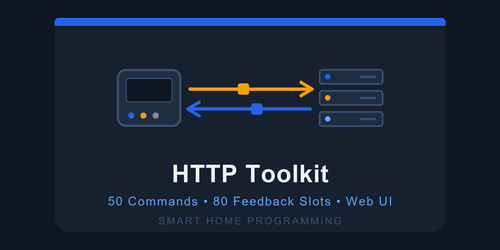
A general-purpose HTTP/HTTPS utility driver for RTI. Talk to any REST API or HTTP-controllable device - cloud bridges, IoT gateways, Wi-Fi smart switches, media servers, weather and automation APIs - without waiting for a custom driver. The same proven engine as our RS-232 and TCP Toolkits, talking HTTP instead of a serial port or raw socket.
Key Features
- 50 Commands: Pre-define up to 50 named requests fired from any macro as SendSlot1-SendSlot50, each with its own Method (GET/POST/PUT/PATCH/DELETE/HEAD/OPTIONS), URL Path, Body and Content-Type.
- 80 Live Feedbacks: 20 each of Boolean, Integer, String and Enum - match patterns against every HTTP response body and write live values straight into system variables.
- Authentication: Built-in Authorization header for OAuth/JWT (Bearer ...) and HTTP Basic (Basic ...). Set once, sent on every request.
- HTTPS / TLS: Automatic SSL handshake for https:// APIs; flip to plain HTTP for LAN devices without certificates.
- Browser Control Page: A control + authoring page on the processor (port 9033) fires any command and captures feedback patterns live from the real device with Send & Capture.
- Per-Command Events: SLOT[N]_SENT on every send, plus MATCHED / CHANGED events on every feedback for clean macro logic.
- Worked Example Included: A ready-to-import live-weather .driverconfig ships in the driver's examples folder - pulls temperature, humidity and wind into system variables in minutes, and you can verify it in a browser.
Requirements
- An HTTP/HTTPS-controllable device or REST API reachable from the processor
- RTI XP processor (runtime 24+, Integration Designer 11.4+)
- The device's API details (endpoint paths, any auth token) - from its documentation or a packet capture
How It Works
You author each request - Method, Path, Body, Content-Type - in the driver's properties (or import a ready-made .driverconfig), and set the target Host, port and any Authorization header. Macros fire requests as SendSlot1 through SendSlot50. The driver watches every response body and updates Boolean, Integer, String and Enum system variables from the patterns you define, so a touch panel button can reflect the device's real state. A browser page on port 9033 lets you fire commands and capture feedback patterns from the live device, no API documentation required.
HTTP Toolkit
Version 1.14
A general-purpose HTTP/HTTPS utility driver. Talk to any REST API or HTTP-controllable device (cloud bridges, IoT gateways, smart switches, media servers, weather APIs) by pre-defining up to 50 HTTP requests your macros can fire as "Send Slot N". Each command has its own Method, Path, Body and Content-Type. Up to 80 feedbacks (20 Boolean + 20 Integer + 20 String + 20 Enum) match against response bodies. Browser test page on port 9033.
Setup
In Driver Properties:
- Host: hostname or IP of the API server. Example: api.example.com or 192.168.1.50. Do NOT include http:// or https://.
- HTTPS (TLS): on by default. Use TLS to talk to https:// servers. Turn off for plain http:// servers.
- Port: 443 default for HTTPS, change to 80 (or whatever) for plain HTTP.
- Authorization Header: sent on every request as the Authorization: HTTP header. Examples: "Bearer eyJhbGc..." for OAuth/JWT, "Basic dXNlcjpwYXNz" for HTTP basic auth.
- User-Agent: optional, sent on every request.
- Enable Web Interface: on by default, port 9033.
Commands (TX)
Set "Number of Commands" (0-50). Each command exposes its own settings category:
- Display Name: friendly label
- HTTP Method: GET / POST / PUT / PATCH / DELETE / HEAD / OPTIONS
- Path: the URL path starting with / (e.g. /api/v1/status). The host comes from the HTTP Connection section.
- Body: request payload for POST/PUT/PATCH. Leave blank for GET/HEAD/DELETE.
- Content-Type: applied to the body. Defaults to application/json.
Macros call commands by export name "SendSlot1" through "SendSlot50". Each fires a "SLOTN_SENT" event when used.
Feedbacks (RX)
Four feedback types, 20 of each. Match patterns against the RESPONSE BODY of every command and write to sysvars. Boolean (ON + OFF), Integer (prefix extracts first int), String (prefix captures full body), Enum (pattern-to-label list, first match wins).
HTTP Specifics
- One request at a time. If a SendSlotN is fired while another request is still in flight, the new request is refused.
- 15-second timeout per request.
- Per-request connections (Connection: close). No keep-alive.
- TLS is handled by the RTI HTTP object's StartSSLHandshake(). For self-signed certs you may need to set HTTPS off and use plain HTTP on the device's LAN port.
Multiple Toolkit drivers on one processor
HTTP Toolkit can run alongside RS-232 Toolkit, TCP Toolkit, and UDP Toolkit. Each driver:
- Has its own unique driver GUID
- Defaults to a different Web Interface port (9030 = RS-232, 9031 = TCP, 9032 = UDP, 9033 = HTTP)
- Uses its own licence seed (separate keys per driver)
- Has its own sysvars, events, and macro picks in IDesign
Licence
15-minute trial on every driver load. After 15 minutes, send operations refuse until a valid licence key is entered.
To obtain a licence key:
1. Install the driver. The MAC For Key sysvar (or the web UI banner) shows your processor's MAC address.
2. Email that MAC to support@smarthomeprogramming.com.au.
3. Paste the 32-character key into the "Licence Key" field.
Licence keys are per-processor AND per-driver. An HTTP Toolkit key won't unlock the TCP Toolkit.
Support
Smart Home Programming
support@smarthomeprogramming.com.au
smarthomeprogramming.com.au
This driver requires a licence key tied to your RTI processor's MAC address.
- Trial: 15-minute fully functional trial on every driver load - no key required
- Purchase: Visit https://smarthomeprogramming.com.au/store/ to buy a licence
- Licence is per-processor AND per-driver - one key per XP processor; an HTTP Toolkit key won't unlock the TCP Toolkit
- The "MAC For Key" system variable (and the web UI banner) shows the MAC to send at checkout