Driver Type
Categories
- Recent Updates
- Access Control
- Amplifier
- A/V Receiver
- Climate and Pool Control
- Disc Player / Changer
- Display
- DSP
- DVR
- Irrigation / Sprinklers
- Lighting Control
- Matrix Switch
- Media Server and Player
- Multi-Room A/V
- Networking
- Power and Rack Management
- Security
- Surveillance
- Teleconferencing
- Training
- Tuner
- Utility
- Video Projector
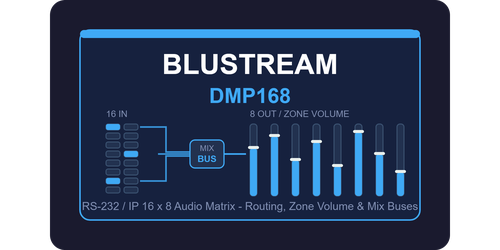
Blustream DMP168 Audio Matrix (SHP)
By: David Bowdler
Updated: Nov. 20, 2026
Blustream DMP168 Audio Matrix
Full two-way RTI control of the Blustream DMP168 16x8 digital audio matrix processor over TCP/IP or RS-232, using the manufacturer's documented ASCII control protocol.
Key Features
- Source routing: route any of the 16 inputs or any of the 8 mix buses to any of the 8 outputs. An output carries exactly one source and routing replaces it, so two inputs cannot end up stacked on a zone by accident.
- Per-zone volume and mute: 0-100 percent, slider-friendly, with live feedback. Drop the tag on a slider and both directions are wired in a single drag.
- Mix buses: sum as many inputs as you like onto a bus and route a zone from it - the way to put paging over background music. Bus membership is reported back, with a changed event per bus.
- Both masters, correctly: Master Output rides the four output groups; Bus Master rides the eight mix buses. Between them you have every part of the signal path covered, and the documentation is explicit about which outputs each one reaches.
- Groups, presets and power: group (1-4) volume and mute, preset recall and save, power on, off and standby, plus input gain and mute.
- Real two-way feedback, no polling: the DMP168 reports every change it makes on its own - including changes made on its web GUI, its front panel, or by another control system - so the driver does not poll it. Move a fader on the unit's own web page and the panel follows within a moment.
- Errors surfaced, not swallowed: the DMP168 answers a command it does not like with an error rather than silence. The text lands in a Last Error variable and raises an event, and the console names the command that caused it - so a refused command is visible instead of looking like a dead button.
- Built for support: telnet diagnostics console with a passive listen mode that logs every change you make on the unit's web GUI, a safe probe mode, a raw command sender, and optional remote logging so a fault can be diagnosed without attending site.
Requirements
- A Blustream DMP168 16x8 digital audio matrix processor
- Either a network connection to the unit, or a free RS-232 port on the RTI processor
- For IP: a static or reserved address for the DMP168. Its own status page lists a Telnet port (23) and a TCP/IP port (8000) - the driver defaults to 23
- For RS-232: a three-wire run - TX to RX, RX to TX, and signal ground. A missing ground is the most common cause of a dead serial link, and a loopback test still passes without it
- RTI processor running firmware that supports runtime 24 or later, with Integration Designer 11.4 or later
How It Works
The DMP168 takes short ASCII commands and answers with readable status lines, and it announces its own state changes unprompted. The driver opens one connection - TCP or serial - reads the unit's full state on connect, and then simply listens: there is no poll loop to tune and no fixed interval at which the panel catches up. Volume is published as a percentage regardless of the level unit the unit is set to display, and the driver reads that setting rather than changing it, so whatever your web GUI shows is left alone. Group and master moves are reflected per output, because the unit reports each member individually as it changes them, which is what keeps individual zone sliders correct when a house level is moved.
Blustream DMP168 Audio Matrix (SHP) | Version 0.9
Introduction
Controls the Blustream DMP168 16x8 digital audio matrix processor over TCP/IP or RS-232 using the Blustream ASCII control protocol, with live two-way feedback and, from v0.8, Signal Present feedback for every input and output read from the unit's own meters.
Written and supported by Smart Home Programming and Automation.
Important Note
Upgrading from an earlier version: IDesign keeps the settings already stored against a driver, so new defaults do not reach an existing instance. See Upgrading from an earlier version under Device Setup.
Version History
- 0.9 - The default TCP control port is now 8000 (raw TCP) instead of 23 (Telnet), the same change as the Blustream MV41 driver after a site where the Blustream unit would not hold a Telnet connection. Both ports carry the same commands. Existing installs keep whatever port is already set in Driver Properties.
- 0.8 - Signal Present feedback for all 16 inputs and 8 outputs (Signal Present / No Signal booleans, 0-100 meter levels, Signal On / Off events) read from the unit's meter feed on port 41230; DSP load. Connection State and Connected / Disconnected variables and events. License Status variables. The licence is re-checked after boot, so a key that IDesign pushes late is still picked up. Remote Logging On / Off / Toggle functions. Debug and Remote Logging settings moved to hidden categories. Log lines tagged with the unit's address so several DMP168s can be told apart.
- 0.7 - Outputs that are not in a group now read their level when the driver connects (they showed 50 percent until something moved).
- 0.6 - Store release. Remote Logging defaults to off.
- 0.5 - Master volume and mute fixed: earlier versions sent a command FW 1.5.0 does not have. Split into Master Output (groups) and Bus Master (mix buses). Device error replies are reported in Last Error and the Command Refused By Device event.
- 0.4 - Routing model corrected: an output holds one source and routing replaces it; mixing is done on the mix buses (Add / Remove Input to Bus, Clear Bus).
- 0.1 - 0.3 - First builds: routing, output / group / preset control, unsolicited two-way feedback from the unit, licensing, debug console.
Driver Features
- Per-output source routing (any of 16 inputs or 8 mix buses to any of 8 outputs)
- Mix bus membership control (add / remove inputs, clear) with feedback
- Per-output volume (0-100 percent, slider-friendly), volume up/down and mute with events
- Master Output volume and mute (rides the groups); Bus Master gain and mute (rides the 8 mix buses)
- Group (1-4) volume and mute
- Per-input level and mute (all 16 inputs), one tag per input for value, command and text
- Signal Present / No Signal and 0-100 meter level for every input and output, with Signal On / Off events
- Preset recall and save (1-8); power on / off / standby
- Live two-way feedback, including changes made on the web GUI, front panel or another control system
- TCP/IP or RS-232 transport with automatic reconnect (TCP)
- 120-minute trial; per-processor licence key
- Telnet debug console and opt-in remote logging for support
Supported Devices
- Blustream DMP168 16x8 digital audio matrix, tested in the field on firmware MCU 1.5.0 / Web GUI 1.5.0 / DSP 1.5.9.
- Signal meters read the feed the unit's own web page uses on that firmware (WebSocket, port 41230). Other firmware versions may move or change it.
System Requirements
- Integration Designer - 11.4 or above
- RTI processor - XP-8 class (XP-3 / XP-6 / XP-6s / XP-8 / XP-8s / XP-8v)
- Processor script runtime - 24 or above
Device Setup
Connection
Set Control Transport to TCP/IP or RS-232 in Driver Properties.
TCP/IP: enter the DMP168 IP address and control port. The unit's own status page lists both a Telnet port (23) and a TCP/IP port (8000) - the driver defaults to 8000. Check the unit's Network menu if in doubt.
RS-232: select the processor serial port and baud rate. The DMP168 is 8 data bits, 1 stop bit, no parity, no flow control. The baud rate must match the unit's RSB setting.
If the unit ignores commands, try changing Line Ending from CR to CRLF.
Two-way feedback
The DMP168 reports every change on its own - including changes made on the web GUI, the front panel, or by another control system - so the driver does not need to poll it. Move a fader on the unit's web page and the RTI panel follows within a moment.
Because of that, Status Poll Interval is 0 (off) by default. Leave it there. It exists only as a fallback if a particular unit turns out not to report changes. A light keepalive still runs so a dropped network link is noticed.
Routing
Use Route Source to Output. Sources 1-16 are the physical inputs; sources 17-24 are mix buses 1-8.
An output carries exactly one source and routing replaces it - there is no need to clear the old one first, and no way for two inputs to end up stacked on a zone by accident. (Confirmed on FW 1.5.0: routing input 1 and then input 2 to the same output leaves that output on input 2 alone.) Use Clear Output Source to unroute an output completely so nothing feeds it.
Mixing several sources
Mixing is done on a bus, not on an output. A bus sums as many inputs as you like, and you then route an output from that bus. For example, to play background music with paging over the top in zone 3:
- Add Input to Bus - Bus 1, Input 1 (the music)
- Add Input to Bus - Bus 1, Input 8 (the paging mic)
- Route Source to Output - Output 3, Bus 1 Bus membership is reported back in the Bus N Sources variables (for example "In1, In8", or "None" when the bus is empty), and each bus fires a Bus N Sources Changed event. Use Remove Input from Bus to drop one input, or Clear Bus to empty it.
Volume
Bind a slider's Value to Output N Volume (percent). Volumes are 0-100.
The driver reads the unit's own level unit and does not change it, so whichever display mode you have set on the web GUI is left alone.
Input levels
Each of the 16 inputs has its own Input N Level tag. Drop it on a slider and it brings the value (the slider position), the command (moving the slider sets the level) and the text readout all at once - no macro needed. The text shows the percent; Input N Level (display) also holds it pre-formatted with a % sign if you prefer that.
Input N Level Up, Input N Level Down and Input N Mute (toggle, with the mute state as feedback) are tagged the same way. Input mutes fire Input N Muted / Unmuted events.
Input levels are read from the unit when the driver connects, and follow changes made on the web GUI or front panel. If the unit is set to show levels in dB, the driver converts them to 0-100 percent (-76 dB = 0, +24 dB = 100).
Groups
Changing a group or the master also moves every output in that group, and the unit reports each one - so the individual output levels on your panel update to match automatically. Output N Group shows which group (1-4) each output belongs to.
The two masters
The DMP168 has two separate masters and they sit on different parts of the signal path.
Master Output rides the groups. Moving it sets all four groups, and every output that belongs to a group, and the unit reports each one so the individual levels on your panel follow.
An output that is not in a group is NOT affected by the master. This catches people out, because it is silent - the master moves, the panel updates, and that zone does not change. If you want a house volume control that reaches everything, assign every output to a group first (Output N Group, 1-4). Confirmed on FW 1.5.0: with outputs 1-6 ungrouped and 7-8 in group 2, the master reported groups 1-4 and outputs 7 and 8 only.
Note also that the master sets a level rather than trimming one: every member is written the same absolute value, so it does not preserve the balance you had between groups. Save a preset first if that balance matters.
Bus Master rides the eight mix buses. It only affects an output if that output is routed from a bus (source 17-24). An output fed straight from an input never passes through it.
In practice: use Master Output for a house volume control. Use Bus Master when you want to ride the level of everything that is being mixed - for example to pull the whole background-music mix down without touching zones that are on direct inputs.
Signal meters (Signal Present)
The DMP168 does not report audio levels on its control port. Its own web page reads them from a second connection - a WebSocket on port 41230 - and from v0.8 the driver reads the same feed. It is on by default (Enable Signal Meters) and uses the same IP Address as control, so it also works when control is on RS-232, as long as the unit is on the network. If the unit is not on the network, turn Enable Signal Meters off.
For each of the 16 inputs and 8 outputs you get:
- Input N Signal Present / Output N Signal Present - true while audio is above the threshold. Tagged
Input N Signal/Output N Signaland set to the Visible slot, so dropping the tag on a graphic shows it only while there is signal. - Input N No Signal / Output N No Signal - the opposite, for a "no signal" graphic (tags
Input N No Signal/Output N No Signal). RTI cannot invert a visibility variable, so both are published. - Input N Meter Level / Output N Meter Level - the raw 0-100 level, for a bar graph (tags
Input N Meter/Output N Meter). 100 is full scale; roughly, dBFS = level - 100. Updated once a second by default (Meter Level Updates); set it to Off if you only need Signal Present. - Input N Signal On / Off and Output N Signal On / Off events, to run a macro when a source starts or stops.
- DSP Load (percent), Meters Connected and Meter Status.
How the decision is made:
- A channel counts as having signal when its level is at or above the Input Signal Threshold / Output Signal Threshold (default 10 on a 0-100 scale; idle noise reads 0-6) for two readings in a row (about 0.6 s).
- It counts as silent only after staying below the threshold for Signal Off Delay (default 3 s), so the gap between songs does not flicker it off.
- The meters are read after the channel's gain and mute. A muted input reads no signal, and turning an input's gain right down lowers its reading - set the threshold with the gain where it normally sits.
- An output can read a steady level with nothing playing (one unit showed about 22 on one output). If an output shows Signal Present when it should not, raise the Output Signal Threshold above that level - the debug console
meterscommand shows every channel's live level. - When the driver connects (or reconnects) the first reading is the starting point and fires no event, so a processor restart does not trigger "signal on" macros for sources that were already playing.
- If the meter link drops, both Signal Present and No Signal read false until it is back (Meters Connected = false), and the driver reconnects by itself. Reconnect Signal Meters forces it.
Diagnostics
Telnet to the processor on the Debug Console Port (default 12555) and type help. meters shows the meter link and every channel's live level.
There are three probes, in increasing order of intrusiveness:
- listen - passive. Reads the unit's state, then logs every change you make on the web GUI. Changes nothing.
- probe - safe. Sends queries plus some deliberately invalid commands to see how the unit rejects them. Changes nothing.
- routeprobe <output> - opt-in. Briefly routes that output from BUS 1 and then puts its source back. This one does change audio on that output for a few seconds, so pick an output you are happy to interrupt. The raw command sends any Blustream command verbatim.
Upgrading from an earlier version
IDesign keeps the settings already stored against a driver, so new defaults do NOT reach an existing instance. After upgrading, check two by hand: Status Poll Interval should be 0 (older versions defaulted to 10), and Debug Console Port will still be whatever it was (older versions used 12540). If you are coming from a field-test build, also check Remote Logging - it now defaults to off, but an existing instance keeps whatever it was set to.
Master volume and mute did not work before v0.5. Version 0.4 and earlier sent a command this unit does not have, so the DSP never received it - although the on-screen value still moved, which is why it looked like it was working. Nothing needs re-wiring; simply loading v0.5 fixes it.
Outputs that are not in a group did not read their level at connect before v0.7. They still followed every change made afterwards, but after a restart they showed 50 percent until something moved. v0.7 reads them correctly.
If something is not understood
Any reply the driver does not recognise is written to Last Unrecognised Reply and raises the Unrecognised Device Reply event, rather than being discarded. If you ever see that populate, please send it to us - it is how we learn wording this unit uses that we have not seen yet.
If the unit refuses a command
The DMP168 answers a command it does not like with an error rather than silence - for example "OUT param out of range" or "Command not found". The driver now reports these: the text lands in Last Error and the Command Refused By Device event fires, and the debug console log names the command that caused it. If you see one, the command the driver sent did not take effect.
Remote logging
Remote Logging is OFF by default. If you report a problem we may ask you to switch it on - either with the Remote Logging On function from a panel button, or in Driver Properties (it is in a hidden category) - it streams this driver's log to Smart Home Programming so we can see what the unit is doing without you having to copy anything out. Switch it back off when we are done.
Driver Configuration
Connection
- Control Transport - default
TCP- How the processor talks to the DMP168: IP (TCP/IP) or RS-232 serial. - IP Address - default
192.168.1.100- DMP168 IP address (TCP transport only). - TCP Port - default
8000- DMP168 control TCP port (TCP transport only). Default 8000 (raw TCP); 23 (Telnet) also works. Confirm on the unit's Network settings if control does not connect - set via 'NET TCPPORT'. - Serial Port - Processor serial port wired to the DMP168 RS-232 (serial transport only).
- Baud Rate - default
115200- RS-232 baud rate (serial transport only). Must match the DMP168 'RSB' setting. 8 data / 1 stop / no parity / no flow. - Line Ending - default
CR- Command terminator sent to the device. CR (carriage return) is the Blustream default; try CRLF if the unit ignores commands.
Licence
- Licence Key - Paste your 32-character licence key (keyed to this processor's MAC, shown in the MAC For Key sysvar). A 120-minute trial runs without one - buy a key from smarthomeprogramming.com.au
Signal Meters
- Enable Signal Meters - default
true- Read the unit's live audio meters (a second connection to the meter port) for Signal Present feedback. - Meter Port - default
41230- The DMP168 meter WebSocket port. 41230 on firmware 1.5.0. Uses the IP Address above. - Input Signal Threshold (1-99) - default
10- Meter level (0-100) at or above which an input counts as having signal. Idle noise reads 0-6. - Output Signal Threshold (1-99) - default
10- Meter level (0-100) at or above which an output counts as having signal. Raise it if an idle output reads high. - Signal Off Delay (sec) - default
3- Seconds a channel must stay below its threshold before Signal Present turns off, so pauses in music do not flicker. - Meter Level Updates - default
1000- How often the raw 0-100 meter level variables are updated. Signal Present is not affected.
Behaviour
- Volume Step (percent) - default
5- Percent step used by Volume Up / Volume Down. - Status Poll Interval (sec) - default
0- Normally 0. The DMP168 reports every change on its own, so routine polling is not needed. Only set this if feedback does not arrive on your unit. - Keepalive Interval (sec) - default
60- Seconds between lightweight liveness checks, used to spot a dropped network link. 0 disables.
Licensing
The driver runs fully for a 120-minute trial after it loads. After that, control commands are refused (and the refusal is logged) while feedback - including signal meters - keeps updating. A licence key is tied to the processor's MAC address, shown in the MAC For Key variable; paste it into Licence Key in Driver Properties. License Status reads Licensed, Trial or Unlicensed, with matching booleans and License Trial Remaining. Buy a key at smarthomeprogramming.com.au.
Functions
Power
- Power On
- Power Off
- Power Toggle
- Standby
Source Routing
- Route Source to Output - Output (8 choices), Source (24 choices)
- Clear Output Source - Output (8 choices)
Mix Buses
- Add Input to Bus - Bus (8 choices), Input (16 choices)
- Remove Input from Bus - Bus (8 choices), Input (16 choices)
- Clear Bus (remove all inputs) - Bus (8 choices)
Output Volume
- Set Output Volume (percent) - Output (8 choices), Percent (0-100)
- Output Volume Up - Output
- Output Volume Down - Output
Output Mute
- Output Mute On - Output
- Output Mute Off - Output
- Output Mute Toggle - Output
Master Output
- Master Volume Set (percent) - Percent (0-100)
- Master Volume Up
- Master Volume Down
- Master Mute On
- Master Mute Off
- Master Mute Toggle
Bus Master
- Bus Master Gain Set (percent) - Percent (0-100)
- Bus Master Gain Up
- Bus Master Gain Down
- Bus Master Mute On
- Bus Master Mute Off
- Bus Master Mute Toggle
Groups
- Group Volume Set (percent) - Group (Group 1 / Group 2 / Group 3 / Group 4), Percent (0-100)
- Group Mute On - Group
- Group Mute Off - Group
- Group Mute Toggle - Group
Presets
- Recall Preset - Preset (1-8)
- Save Preset - Preset (1-8)
Output N Quick Controls (N = 1-8, same for each)
- Output 1 Volume Up
- Output 1 Volume Down
- Output 1 Mute Toggle
- Output 1 Mute On
- Output 1 Mute Off
Input N Quick Controls (N = 1-16, same for each)
- Input 1 Level - Percent (0-100)
- Input 1 Level Up
- Input 1 Level Down
- Input 1 Mute Toggle
- Input 1 Mute On
- Input 1 Mute Off
Advanced (Inputs)
- Input Gain Set (percent) - Input (1-16), Percent (0-100)
- Input Mute On - Input (1-16)
- Input Mute Off - Input (1-16)
- Input Mute Toggle - Input (1-16)
- Input Gain Up - Input (1-16)
- Input Gain Down - Input (1-16)
Signal Meters
- Reconnect Signal Meters
Diagnostics
- Refresh Status
- Send Raw Command - Command
- Probe 1 - Listen (passive, no audio change)
- Probe 2 - Safe (queries + invalid commands)
- Probe 3 - Routing (CHANGES an output, then restores it) - Output
- Remote Logging On
- Remote Logging Off
- Remote Logging Toggle
Variables
Device
- Driver Version - string
- Comms OK - boolean
- Connection State - integer (0=Disconnected, 1=Connected)
- Connected - boolean
- Disconnected - boolean
- Connection Status - string
- Power On - boolean
- Power Status - string
- Last Preset Recalled - integer
- Last Preset Saved - integer
- Last Reply (diagnostic) - string
- Last Error (diagnostic) - string
Master Output
- Master Volume (percent) - integer
- Master Volume (display) - string
- Master Mute - boolean
Bus Master
- Bus Master Gain (percent) - integer
- Bus Master Gain (display) - string
- Bus Master Mute - boolean
Output N (N = 1-8, same for each)
- Output 1 Name - string
- Output 1 Volume (percent) - integer
- Output 1 Volume (display) - string
- Output 1 Mute - boolean
- Output 1 Source (number) - integer
- Output 1 Source Name - string
- Output 1 Group - integer
Input N (N = 1-16, same for each)
- Input 1 Level (percent) - integer
- Input 1 Level (display) - string
- Input 1 Mute - boolean
Groups
- Group N Volume (percent) (N = 1-4) - integer
- Group N Volume (display) (N = 1-4) - string
- Group N Mute (N = 1-4) - boolean
Mix Buses
- Bus N Sources (N = 1-8) - string
- Bus N Source Count (N = 1-8) - integer
Device Info
- Device Firmware - string
- Device Temperature - string
- Device Uptime - string
- Device Level Unit - string
- Last State Seed (uptime sec) - string
- Last Unrecognised Reply - string
Signal Meters
- Meters Connected - boolean
- Meter Status - string
- DSP Load (percent) - integer
Input Signal
- Input N Signal Present (N = 1-16) - boolean
- Input N No Signal (N = 1-16) - boolean
- Input N Meter Level (N-N) (N = 1-16) - integer
Output Signal
- Output N Signal Present (N = 1-8) - boolean
- Output N No Signal (N = 1-8) - boolean
- Output N Meter Level (N-N) (N = 1-8) - integer
Licence
- MAC For Key - string
- Licence Valid - boolean
- Licence Status - string
- Trial Active - boolean
- Trial Expired - boolean
- Trial Time Remaining - string
- License Status - string
- License Status Licensed - boolean
- License Status Trial - boolean
- License Status Unlicensed - boolean
- License Trial Remaining - string
Events
Power
- Powered On
- Powered Off (Standby)
Communications
- Comms Lost
- Comms Restored
- Connected
- Disconnected
- Signal Meters Connected
- Signal Meters Lost
- State Seeded (full status read)
- Unrecognised Device Reply
- Command Refused By Device
Presets
- Preset Recalled
Output Mute
- Output N Muted (N = 1-8)
- Output N Unmuted (N = 1-8)
Input Mute
- Input N Muted (N = 1-16)
- Input N Unmuted (N = 1-16)
Output Routing
- Output N Source Changed (N = 1-8)
Mix Buses
- Bus N Sources Changed (N = 1-8)
Input Signal
- Input N Signal On (N = 1-16)
- Input N Signal Off (N = 1-16)
Output Signal
- Output N Signal On (N = 1-8)
- Output N Signal Off (N = 1-8)
Licence
- Trial Warning (3 min left)
- Trial Expired
Autoprogramming Support
Drop these tags on a button to wire it automatically (command = the press, feedback = the button state).
| Tag | Wires | |---|---| | Connected | feedback | | Disconnected | feedback | | Group N Mute (N = 1-4) | feedback | | Group N Volume (N = 1-4) | feedback | | Input N Level (N = 1-16) | command + feedback | | Input N Level Down (N = 1-16) | command | | Input N Level Up (N = 1-16) | command | | Input N Meter (N = 1-16) | feedback | | Input N Mute (N = 1-16) | command + feedback | | Input N No Signal (N = 1-16) | feedback | | Input N Signal (N = 1-16) | feedback | | Mute | command + feedback | | Mute Off | command | | Mute On | command | | Output N Meter (N = 1-8) | feedback | | Output N No Signal (N = 1-8) | feedback | | Output N Signal (N = 1-8) | feedback | | Output N Mute (N = 2-8) | command + feedback | | Output N Volume (N = 2-8) | feedback | | Output N Volume Down (N = 2-8) | command | | Output N Volume Up (N = 2-8) | command | | Power | command + feedback | | Power Off | command | | Power On | command | | Volume | feedback | | Volume Down | command | | Volume Up | command |
Limitations
- Signal meters depend on the unit's meter feed on port 41230 (firmware 1.5.0). If a future firmware moves it, Signal Present reads false and Meter Status explains why; control is unaffected.
- Signal Present follows the level after gain and mute, not the raw source.
- Meter levels are one combined reading per channel (the higher of left and right).
- Master Output does not reach outputs that are not in a group, and both masters set an absolute level rather than trimming (see The two masters).
- EQ, delay, ducking and trigger settings are reported in the log but not exposed as functions.
- Serial transport has no connect event, so a disconnected RS-232 cable is spotted by the keepalive rather than immediately.
Support Contact
Smart Home Programming and Automation - smarthomeprogramming.com.au - support through the contact form on the website. Please include the driver version and, if we ask, switch Remote Logging on so we can see what the unit is doing.
Licensed per RTI processor. The key is generated from the processor MAC address, and one key covers every DMP168 driven from that processor.
A 120-minute trial runs from each restart without a key. When the trial expires, control commands stop until a valid key is entered - feedback and status keep running.