Driver Type
Categories
- Recent Updates
- Access Control
- Amplifier
- A/V Receiver
- Climate and Pool Control
- Disc Player / Changer
- Display
- DSP
- DVR
- Irrigation / Sprinklers
- Lighting Control
- Matrix Switch
- Media Server and Player
- Multi-Room A/V
- Networking
- Power and Rack Management
- Security
- Surveillance
- Teleconferencing
- Training
- Tuner
- Utility
- Video Projector
Driver Type
Categories
- Recent Updates
- Access Control
- Amplifier
- A/V Receiver
- Climate and Pool Control
- Disc Player / Changer
- Display
- DSP
- DVR
- Irrigation / Sprinklers
- Lighting Control
- Matrix Switch
- Media Server and Player
- Multi-Room A/V
- Networking
- Power and Rack Management
- Security
- Surveillance
- Teleconferencing
- Training
- Tuner
- Utility
- Video Projector
Atlona AT-JUNO-451 Switcher (SHP)
By: David Bowdler
Updated: July 11, 2026
Version: 1.00
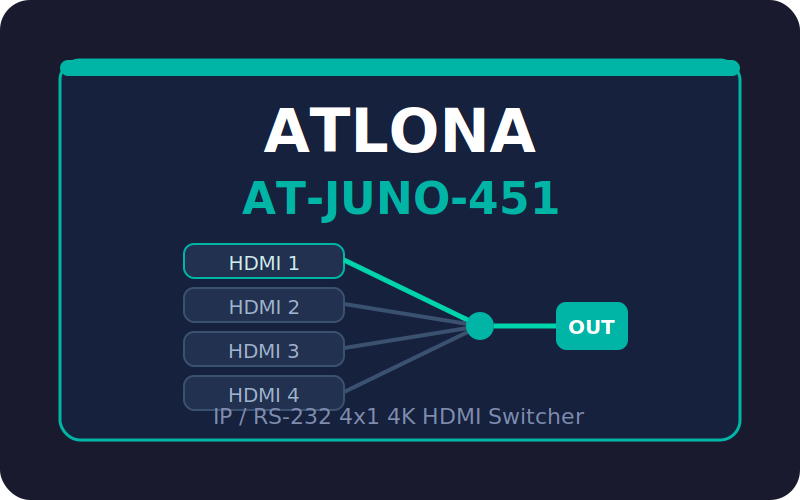
Atlona AT-JUNO-451 4x1 HDMI Switcher
Two-way RTI control of the Atlona AT-JUNO-451 (JunoX 451) 4x1 4K HDR HDMI switcher over the network (TCP/IP Telnet) or RS-232, using Atlona's documented ASCII command set. It also suits the AT-JUNO-451-HDBT, which mirrors the HDMI output to an HDBaseT output and shares the same commands. Because the driver enables Atlona's Broadcast mode at connect, front-panel button presses and auto-switch input changes push straight back to your interface - your touch panel always shows the true state of the switcher.
Key Features
- Network or RS-232: TCP/IP Telnet (default port 23) or serial (115200 8N1), selectable in Driver Properties.
- Input switching: discrete Input 1-4 with active-state feedback, Input Up / Down, and a labelled Select Input picker.
- Power: on / off / toggle with live power-state feedback.
- Auto-switching: on / off / toggle with two-way state.
- Audio: HDMI output audio and TOSLINK optical output enable, plus SPDIF / ARC audio-mode select.
- Front panel: IR receiver window on / off and button lock / unlock.
- EDID management: display pass-through, 22 internal presets (0-21) and eight saved display memories.
- Live feedback: current input, input name, power, audio and auto-switch state as system variables, plus macro-triggerable events (Input Changed, Powered On/Off, Comms Lost/Restored).
- Send Raw Command: fire any case-sensitive Atlona command not surfaced as a function.
- Diagnostics: built-in telnet console (port 12533) with a protocol probe, and optional cloud logging for support.
Requirements
- RTI XP processor (RTI runtime 24 / IDesign 11.4 or later).
- Atlona AT-JUNO-451 or AT-JUNO-451-HDBT switcher.
- For Network control: the switcher on a static IP reachable by the processor. For RS-232: a processor serial port wired to the switcher's DB9 (Tx pin 2, Rx pin 3, Gnd pin 5).
How It Works
Add the driver in IDesign and choose the transport in Driver Properties. On deploy the driver links to the switcher, enables Broadcast for real-time feedback, and populates the current input, power and audio state automatically. Drop the Input 1-4 and Power tags on buttons for instant control with active-state highlight, and bind a label to Current Input Name. A SampleFile.apex demo project and a branded PDF integration note are included in the download.
Atlona AT-JUNO-451 Switcher Driver
Version 1.00 - Smart Home Programming
Two-way control of the Atlona AT-JUNO-451 (JunoX 451) 4x1 4K HDR HDMI switcher over RS-232 or Network (TCP/IP Telnet). Also suits the AT-JUNO-451-HDBT (same command set).
Setup
1. Add the driver to your project and open Driver Properties.
2. Under Connection, choose Transport:
- RS-232: select the processor Serial Port wired to the switcher's DB9 (Tx=pin 2, Rx=pin 3, Gnd=pin 5). Baud defaults to 115200 8N1.
- Network: enter the switcher's IP Address and TCP Port (default 23). Set a static IP on the switcher for a reliable connection. Only enable Login Required if you turned on IP Login in the switcher's web GUI.
3. Optionally name the four HDMI inputs under the Inputs category.
4. A 120-minute trial runs without a licence key. To license, copy the MAC For Key value shown in the driver's system variables and buy a key at smarthomeprogramming.com.au, then paste it into Licence Key.
Features
- Power on / off / toggle with feedback
- Discrete input select (1-4), Input Up / Input Down, plus a Select Input picker
- Auto-switching on / off / toggle
- HDMI output audio and TOSLINK output audio enable, plus SPDIF / ARC audio mode
- IR receiver window on / off, front-panel lock / unlock
- EDID management (display pass-through, internal presets 0-21, saved memories 1-8)
- Real-time feedback: the driver enables Atlona Broadcast so front-panel button presses and auto-switch input changes update the interface automatically
- Telnet debug console (default port 12533) with a protocol probe, and optional cloud diagnostics logging
Tags and feedback
Command tags: Power On, Power Off, Power Toggle, Input 1-4, Input Up, Input Down, Auto Switch, HDMI Audio, TOSLINK Audio.
Feedback variables (bind to buttons for highlight): Power On, Input 1-4 Active, Auto Switching, HDMI Output Audio, TOSLINK Output Audio, plus Current Input, Current Input Name, Connection Status and Comms OK.
Events: Powered On / Off, Input Changed, Input 1-4 Selected, Auto Switch On / Off, Comms Lost / Restored.
Any command not exposed as a function can be sent with Send Raw Command (commands are case sensitive).
Support
Smart Home Programming - smarthomeprogramming.com.au - david@smarthomeprogramming.com.au